


Featured article by Santosh Kumar Gupta, Independent Technology
In today’s world, data is everything. And, disclosure of critical, sensitive data like personal photos, videos can result in monetary, reputation, or business loss to an individual or an organization. Sadly, many computer users are unaware of the fact that Windows doesn’t remove the deleted data permanently. Even a quick formatted PC or external storage drive is not safe to dispose of, resell, or repurpose. As, there exists Software that can recover formatted, deleted, or inaccessible multimedia files from such situations through its advanced signature scan algorithm.
So, to erase your data securely and protect data privacy, you need an advanced data erasure tool. And, BitRaser File Eraser for Windows is a certified and secure privacy safeguarding software that helps erase files, folders, application traces, system traces, Internet activities, and used spaces that no data recovery software can recover. In this post, I’ll review BitRaser File Eraser for Windows to help you understand the product well.
To test BitRaser File Eraser for Windows, I visited the official website of Stellar. Browsed the product page and downloaded the software. The installation process was indeed quick and easy, thanks to the setup Wizard. Next, I launched the software to interact with Windows-style interface.
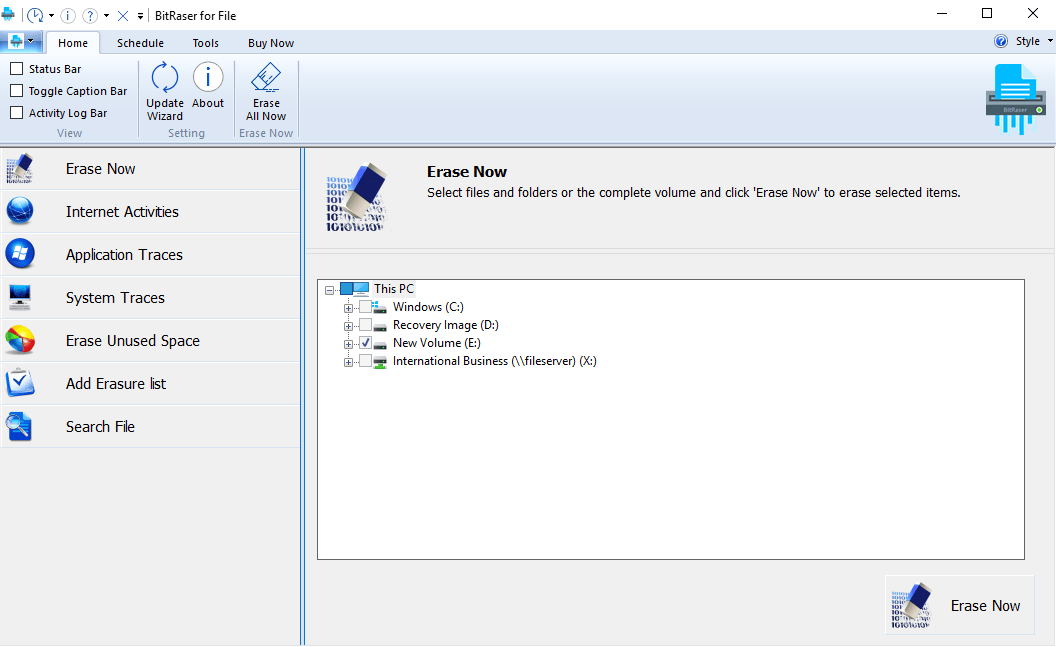
The software opened in the “Home” tab with “Erase Now” menu item selected. I expanded various nodes from the right pane then chose the file that I wished to erase permanently. Then, clicked the “Erase Now” button present on the bottom-right corner. The software removed the selected data for good.
Next, I clicked “Internet Activities” from the left pane. The software displayed all my installed web browsers as sub-menu items, as well as a checklist on the right pane. I selected a browser then navigated to my account.
Selected all those Internet category checkboxes, viz. Cookies, Temporary Internet Files, etc. whose traces I need to erase. Then, I clicked the “Erase Now” button. The software erased all the selected Internet activities from my system beyond recovery.
Afterwards, I clicked “Application Traces” to erase traces of various applications present on my computer. The software categorized all installed apps in both the left and right pane. From the category list, I selected “Microsoft Applications”.
Selected the required MS Office apps, then clicked the “Erase Now” button. The tool erased all the traces of the selected applications securely.
After that, I clicked “System Traces” to erase all evidence of my system activities. The software listed all the items that generate system traces.
From the checklist, I selected the required items, then clicked the “Erase Now” button. BitRaser File Eraser removed all the system traces permanently.
Subsequently, I clicked “Erase Unused Space” menu item from the left pane. The tool opened all the connected and networked drives on the right pane.
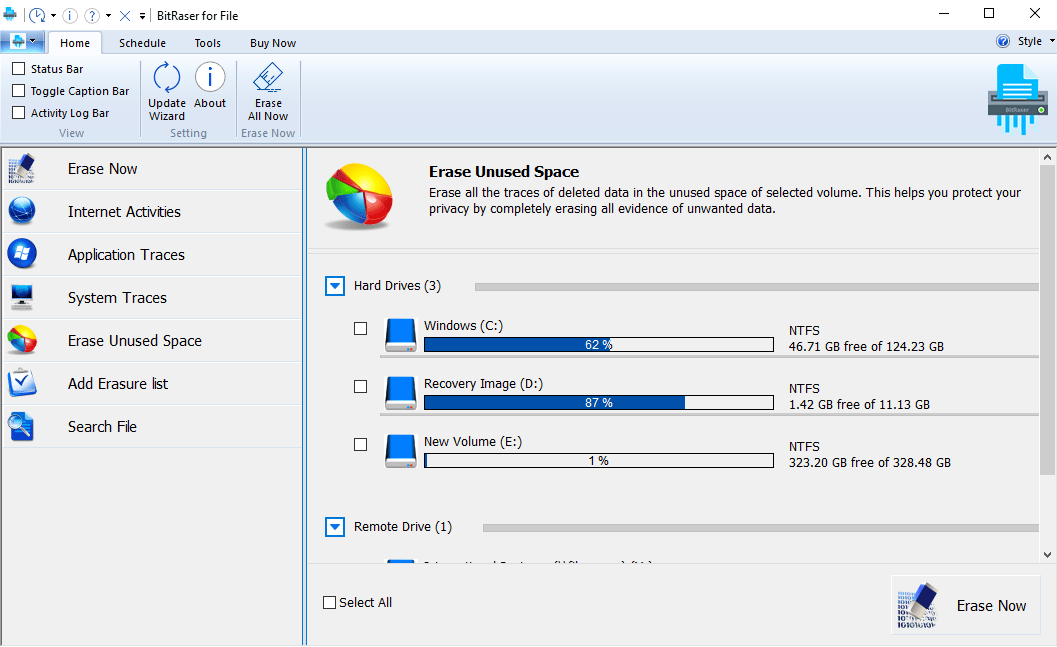
Selected a drive whose unused space I desired to erase, then clicked the “Erase Now” button. The software wiped out all the unused space of the selected drive.
Later, I clicked “Add Erasure list” from the left pane. This menu item helped me to erase a bunch of files and folders at one go. I used “Add New List” button to create a new erasure list, and “Remove List” button to remove an existing erasure list.
After selecting an erasure list containing files and folders, I clicked the “Erase Now” button. The software erased the chosen list by using an advanced erasure algorithm.
Finally, I clicked “Search File” then “Search File by Name” sub-menu item. In the “Search File” field, typed a search query (say *.png) and clicked “Add File”. In the “Search in” section, navigated and selected the folder/volume wherein to initiate the search. Then, I clicked Search.
The software searched all the files satisfying the search criteria. I selected the required files, then clicked on “Create Certificate” checkbox. Finally, I clicked “Erase Now”. The software erased all traces of the selected files and generated a secure erase certificate.
Apart from the said functionalities, BitRaser File Eraser software allowed me to schedule erasure task, set default erasure algorithm and verification method, specify log file and certificate path, and set user password to restrict unauthorized use of the software.
Verdict
Don’t just delete data—erase it securely. BitRaser File Eraser software will help you safeguard your data privacy and comply with existing data acts and regulations.
I hope this review helped you discern BitRaser File Eraser for Windows. Free download the software to get the hang of the product. Familiarize its interface, features, and user experience.
About the Author
Santosh Kumar Gupta is a technology blogger and Windows expert. He loves to review software products and write on Technical Tips and Tutorials


